
Read Malayalam in Manglish, anywhere
Can speak Malayalam but find the script slow to read? ManglishDa shows Malayalam text on your screen in Manglish — Malayalam written in English letters — right where the original text is.
- Free
- Works offline
- No ads
- Android
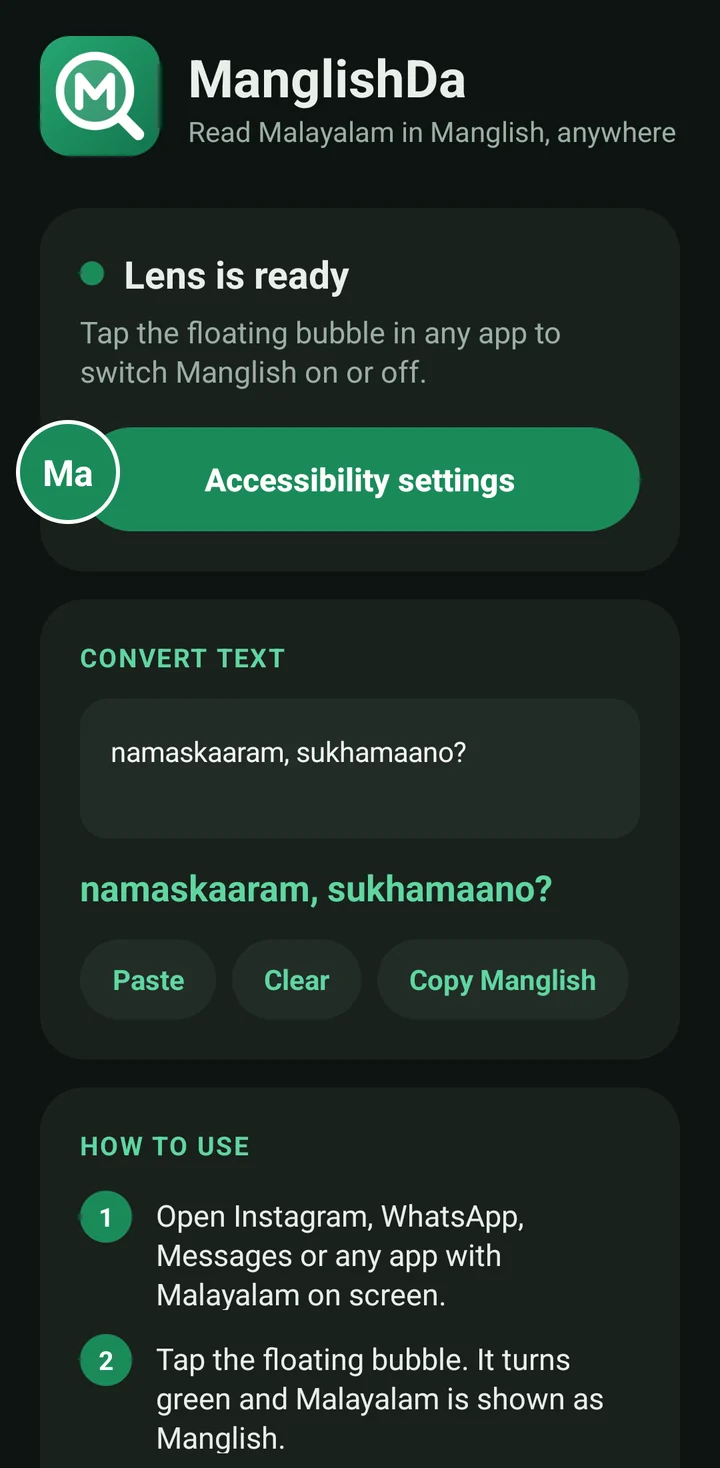
Malayalam, in letters you read fast
A floating bubble
Turn the lens on once and a small bubble stays on screen. Tap it in any app to switch Manglish on or off.
Any app
Chats, social posts, news, messages — normal text is converted instantly and exactly, right where it is.
Text in pictures
Text inside pictures and posters is read with on-device text recognition. Plain printed text works best.
Convert text
Paste or type Malayalam into the app and get the Manglish below it, ready to copy.
Fully offline
The app has no internet permission at all, so nothing on your screen can leave your phone.
No ads, no accounts
No sign-up, no ads and no analytics. It just does the one job.
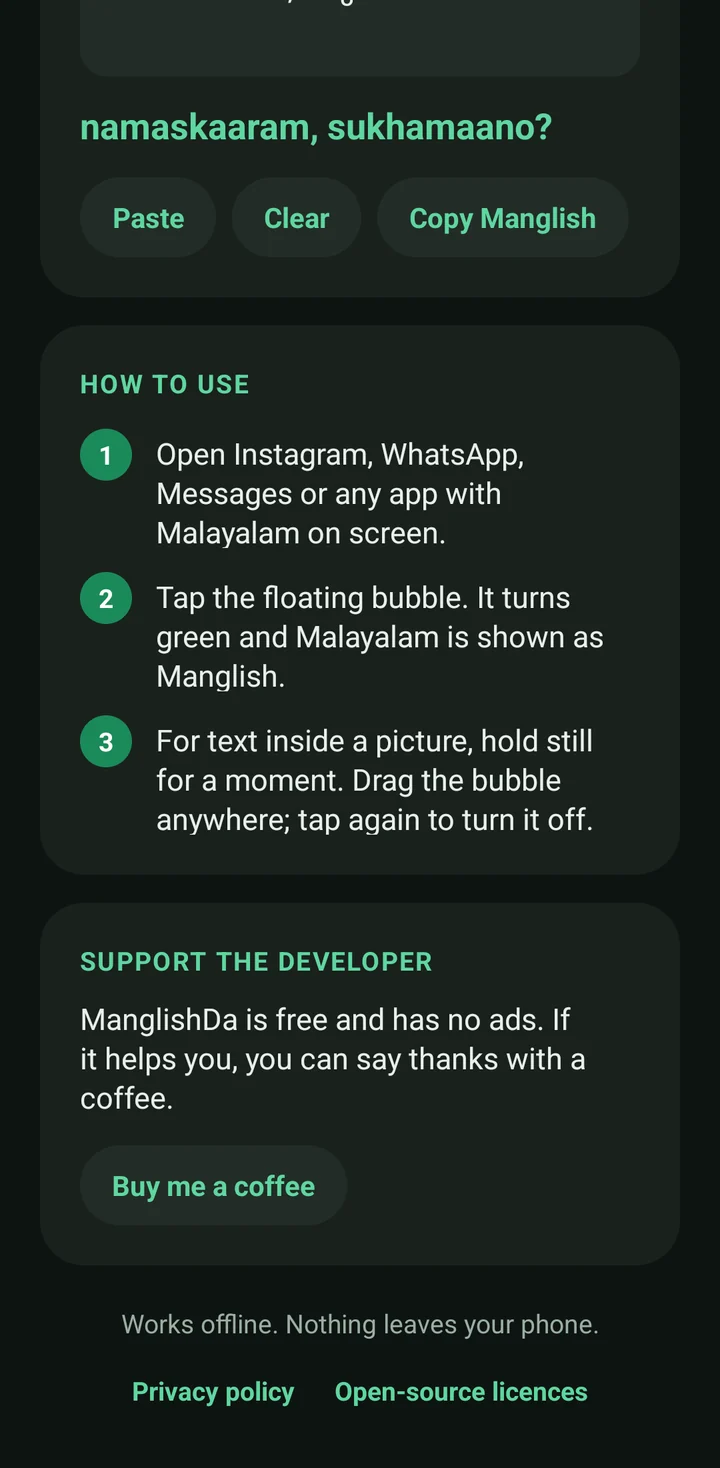
On in seconds
- 01
Turn on the lens
Open ManglishDa, read the short disclosure, and enable it in Android's Accessibility settings.
- 02
Open any app
Go to any chat, post or page that has Malayalam on screen.
- 03
Tap the bubble
Malayalam is covered with its Manglish version. Tap again to switch it off.
ManglishDa changes the script, not the language: it shows Malayalam in English letters, it does not translate Malayalam into English. Very decorative fonts in pictures may be misread.
Nothing leaves your phone
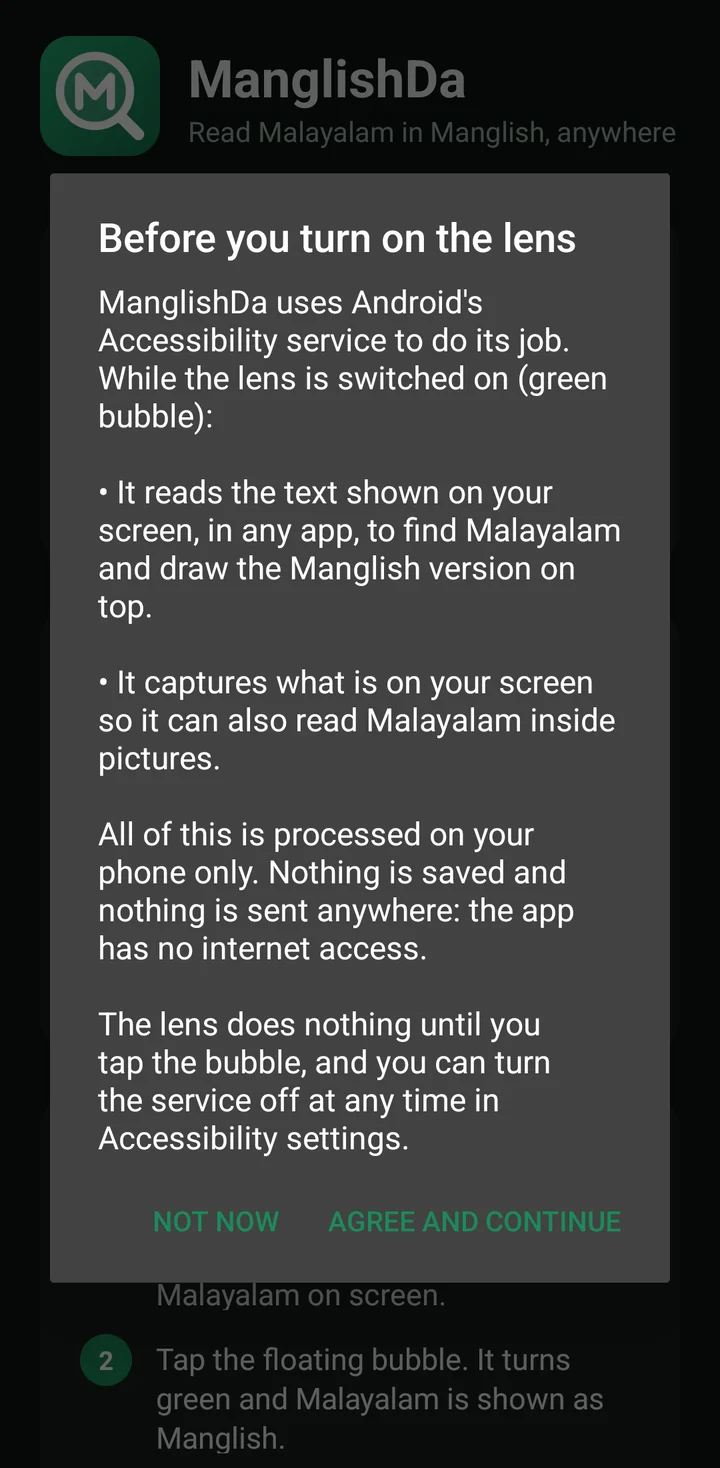
ManglishDa works fully offline — the app has no internet permission. No accounts, no ads, no analytics, and nothing on your screen is saved or sent anywhere.
- Accessibility service
- While the lens is on, it reads the text on screen to find Malayalam and draws the Manglish over it. Processed on your phone, never stored or shared.
- Screen capture (in memory)
- Only to read Malayalam inside pictures, on-device. Nothing is saved.
- Your consent
- The app asks before you enable the service, and does nothing until you tap the bubble.